View Scanned Mail
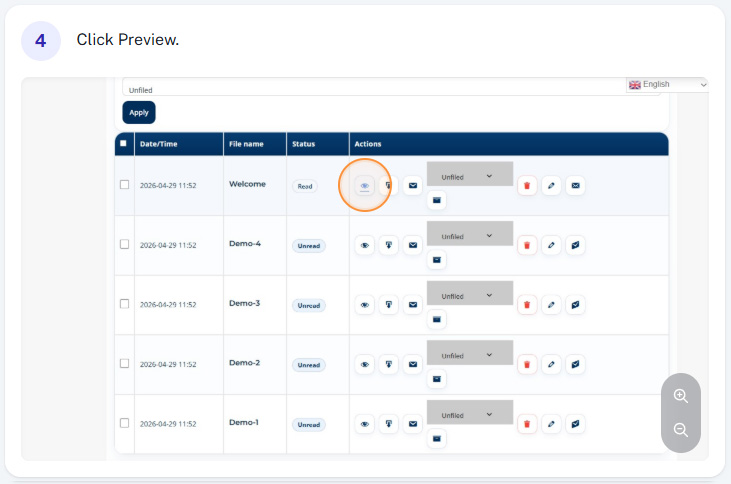
You can view your mail quickly and easily online with the preview feature, alternatively you can download a PDF to view on your device if you prefer.
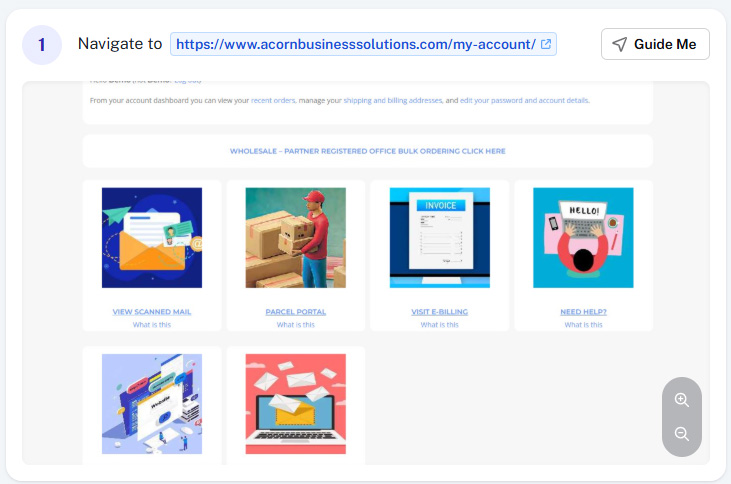
Step 1 - Visit My Account
Log into your online account at www.AcornBusinessSolutions.com/my-account. To do this you will need your username (usually your email address) and your password which can be reset online if needed.
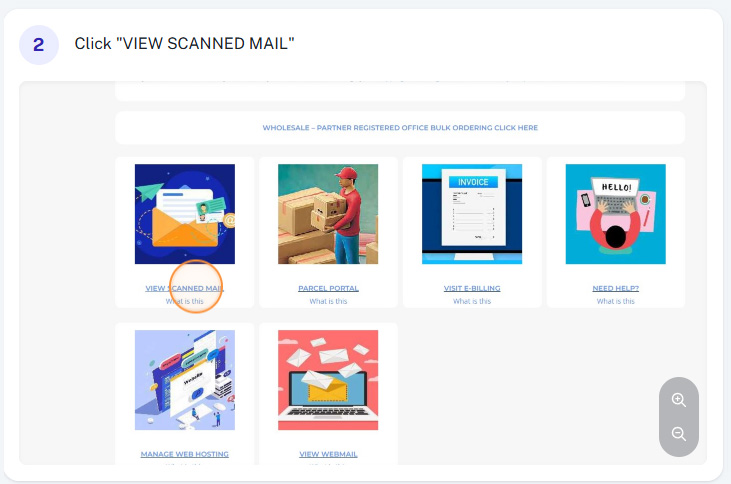
Step 2 - Click View Scanned Mail
Once you’ve successfully logged into your online account, You should navigate to the scanned mail section by clicking “View Scanned Mail”
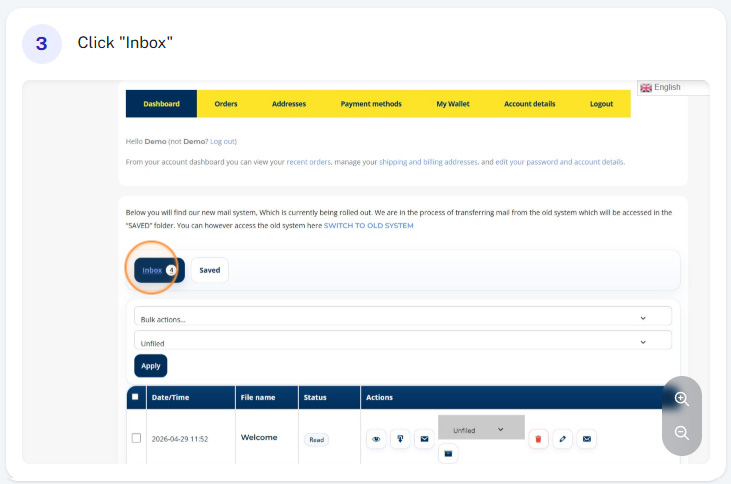
Step 1 - View Inbox
Ordinarily when you first login and access the scanned mail, you will automatically be in the inbox. If not you can navigate to the inbox.
Step 4 - Preview Your Mail
There are now two main options to view your mail. You can click the “Preview Icon” shown below to view your mail online (please note online previews although full sized may be a slightly lower resolution)
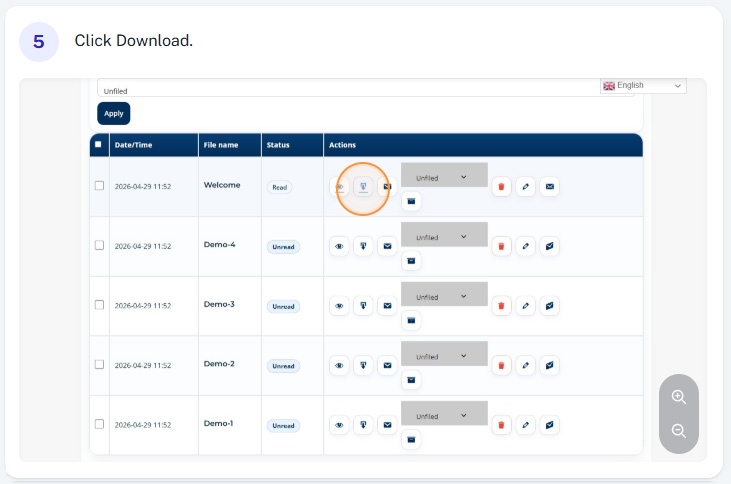
Step 5 - Download Your Mail
If you prefer, you can download a copy of your mail to your device by clicking the “Download” icon, this will download a PDF.