How Do I Rename a File?
As we do not read mail when its uploaded it is given a automatic generic name. After reading, you can give it a more appropriate name which will assist you in locating the file in the future. For example you could rename your letter HMRC UTR Code, Company Certificate etc.
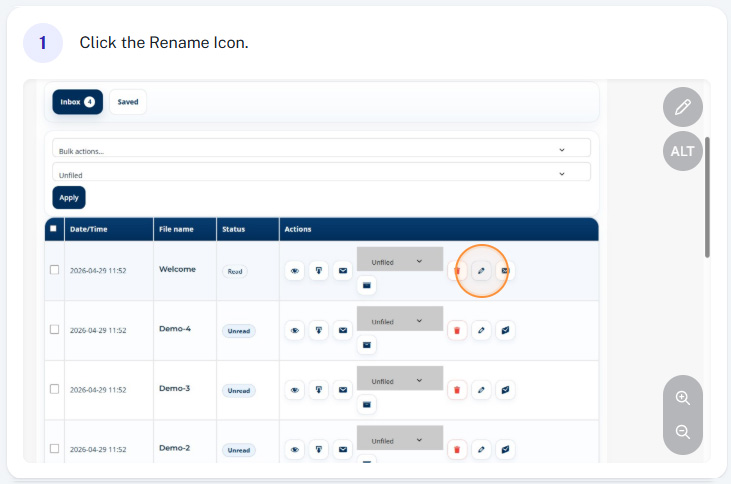
Step 1 - Click the rename icon
To rename a file to something more relevant, simply click the rename icon.
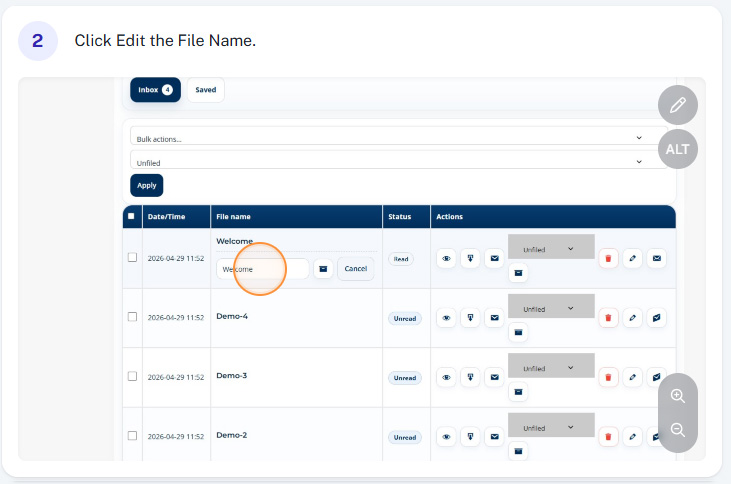
Step 2 - Edit the current file name
You can now edit the current file name to whatever you want.
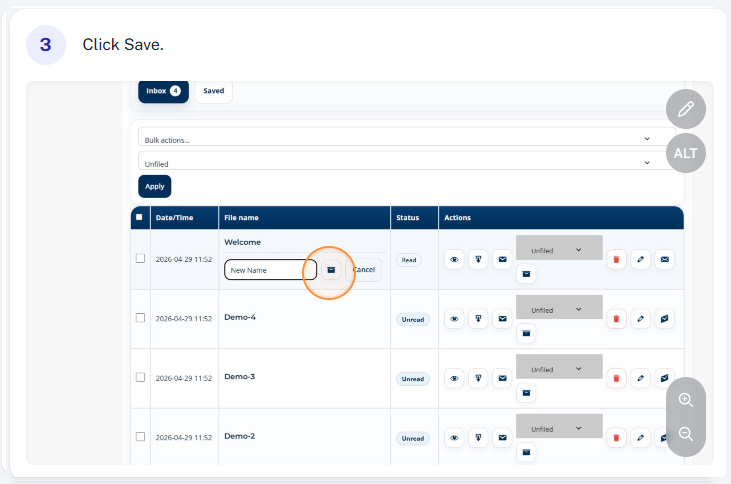
Step 3 - Save your new file name
Once you’ve entered the desired file name, simply click “Save”