How do I request forwarding of my parcels?
Once parcels have been received, you can request forwarding. When requesting forwarding these will be sent to the “shipping address” specified on your account. To request forwarding to an alternative address please see here.
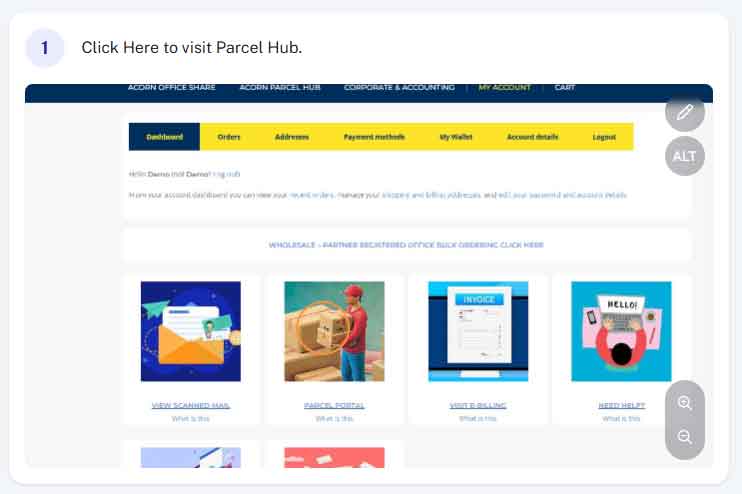
Step 1 - Access Parcel Hub
From within your account (acornbusinesssolutions.com/my-account) click on the “Parcel Hub” Image or text link.
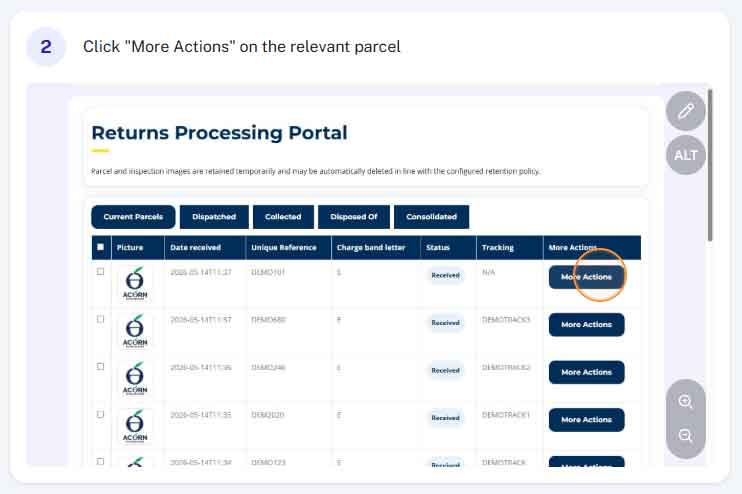
Step 2 - Find the relevant parcel and click "More Actions"
From the table of parcels find the one you want forwarding out to you and select “More Actions”
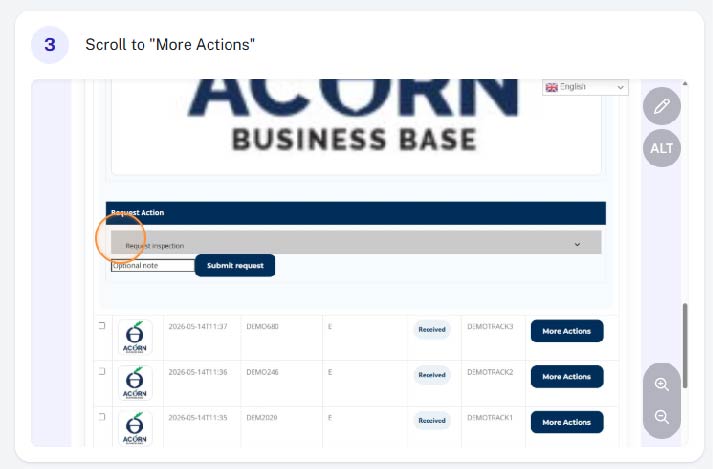
Step 3 - Scroll down to the "request actions" drop down
Scroll down towards the bottom of the parcel details and find the “request actions” drop down.
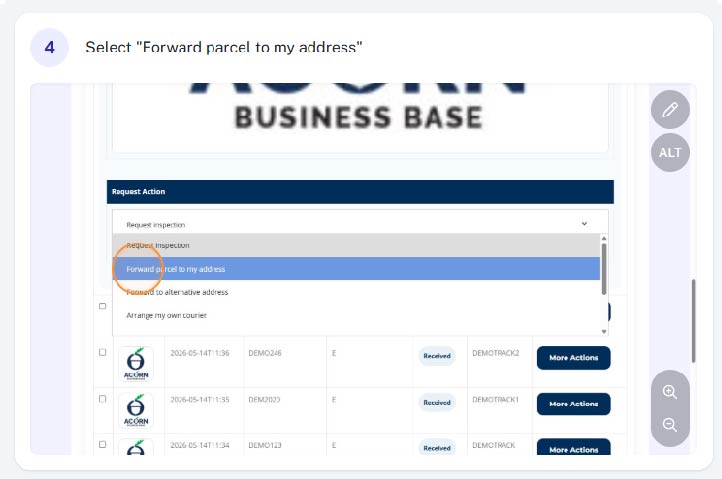
Step 4 - Select "Forward Parcel to My Address"
From the drop down menu select “Forward Parcel to My Address”
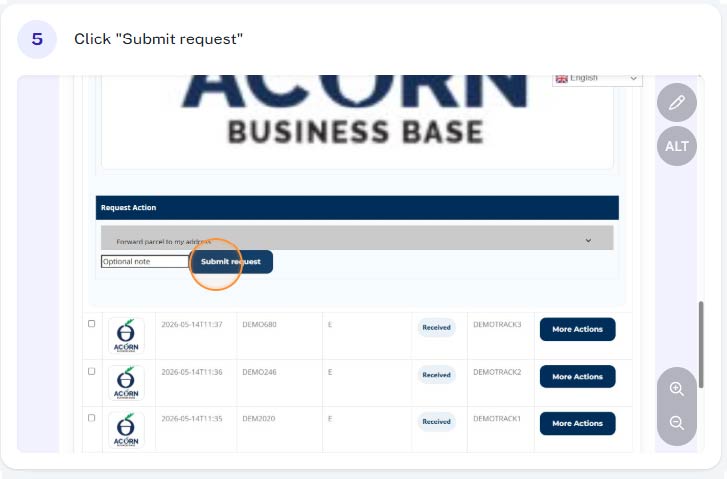
Step 5 - Click "Submit Request"
You can now submit your request.
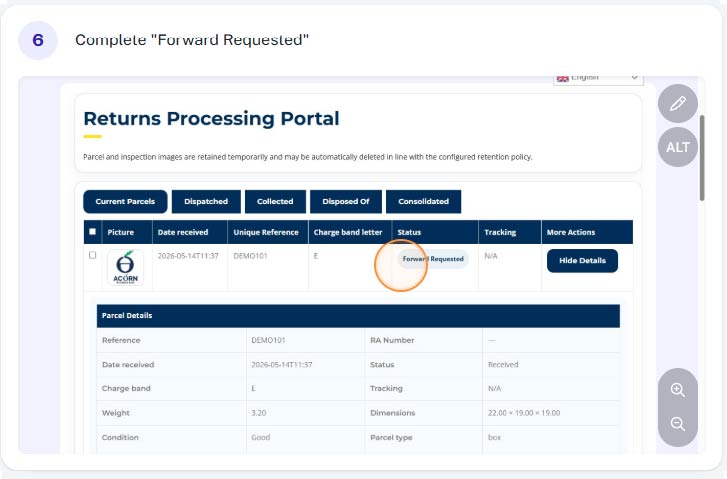
Complete
You have now requested for the parcel to be sent out to you. Depending on the time of day we receive your request, we aim to get it dispatched same day. Unless you’ve request a specific courier / delivery service, we will use either Royal Mail, DPD or FedEx or UPS (depending on size, weight and destination.