How do I request disposal of my parcel?
There maybe occasions when you receive a parcel that you don’t actually want examples include random promotional items sent by suppliers, damaged returns or low value goods which would cost more to ship then they are worth.
Acorn Parcel Hub includes a disposal feature, where you can request disposal of the parcel.
Exercise Caution – Once a disposal is complete, there is no way to retrieve the parcel irrespective of the disposal method all identifying marks (names / addresses etc) are removed.
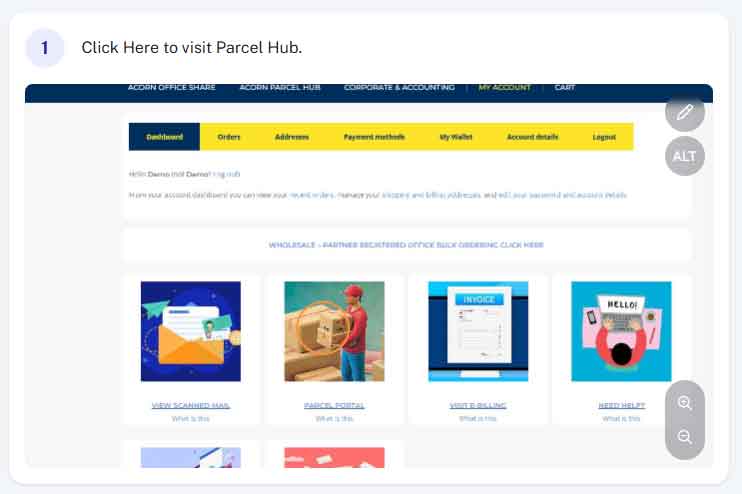
Step 1 - Access Parcel Hub
From within your account (acornbusinesssolutions.com/my-account) click on the “Parcel Hub” Image or text link.
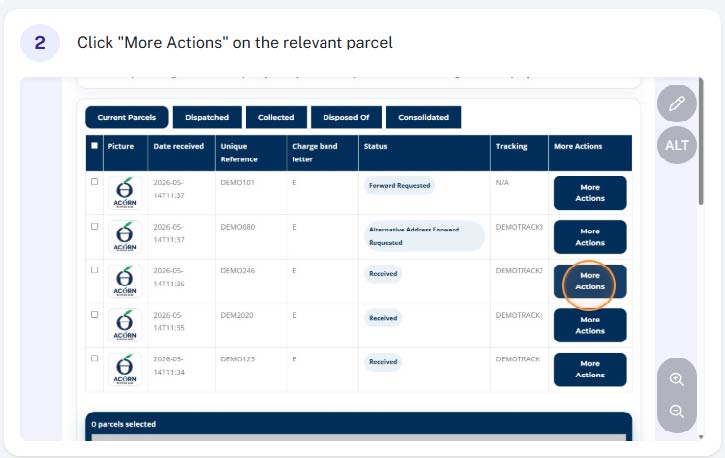
Step 2 - Click "More Actions"
Find the relevant parcel in your parcel list and select “More Actions”
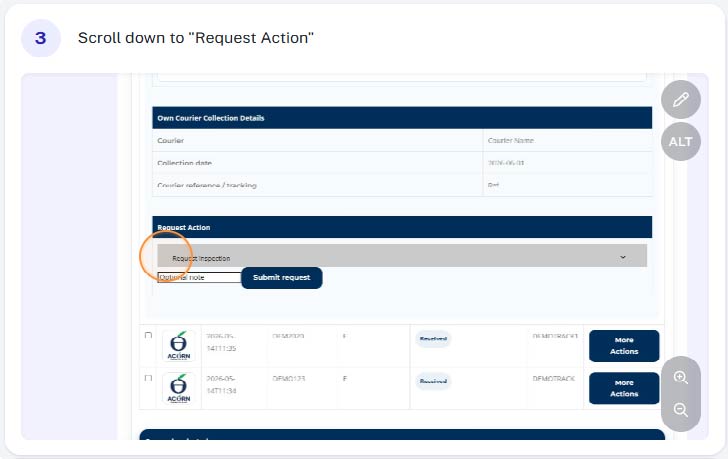
Step 3 - Scroll down to "Request Actions"
Scroll down to “Request Actions” towards to bottom of the parcel details
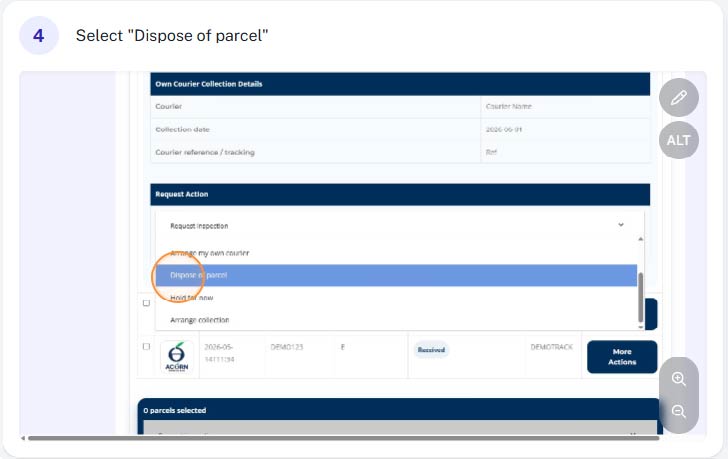
Step 4 - Select "Dispose of Parcel"
From the drop down list select “Dispose of Parcel”
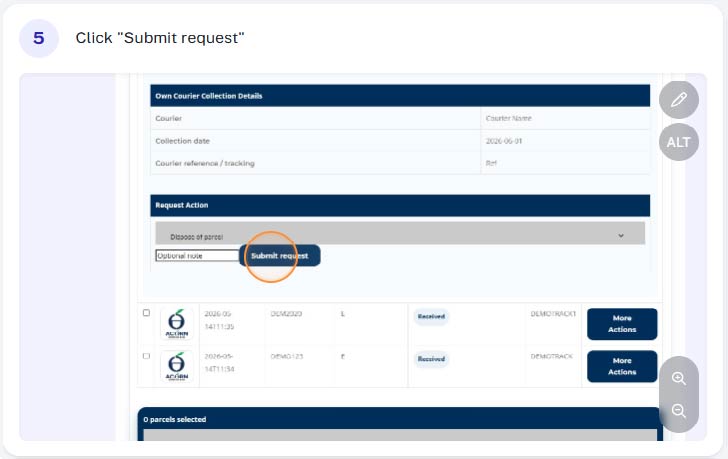
Step 5 - Submit Request
After double checking the correct parcel is selected, click “Submit Request”
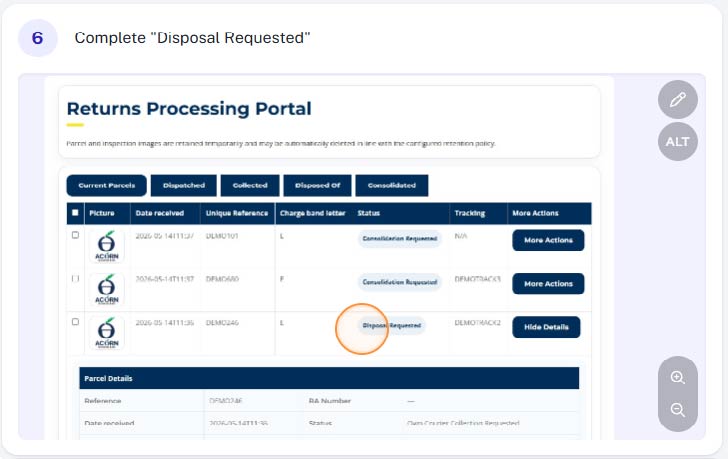
Step 6 - Complete
You have successfully requested disposal of your parcel. As part of the disposal process all identifying details (name, address, reference number etc) are remove and your parcel will be disposed of responsibly. We aim to complete disposal on the same business day.
Once complete, you will be notified via email and your parcel will be moved to the “dispose of” view.