How do I request a parcel inspection?
There may be occasions when you need to confirm the contents or condition of a parcel before deciding what to do with the parcel, where to send it, whether its needed or if you should issue a refund.
We offer a parcel inspection whereby your parcel will be opened and the contents photographed and added to your Parcel Hub. To request a parcel inspection simply follow this easy guide.
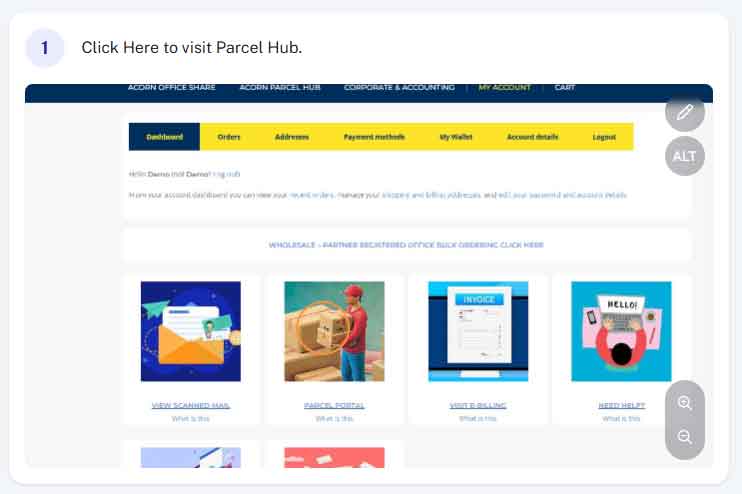
Step 1 - Access Parcel Hub
From within your account (acornbusinesssolutions.com/my-account) click on the “Parcel Hub” Image or text link.
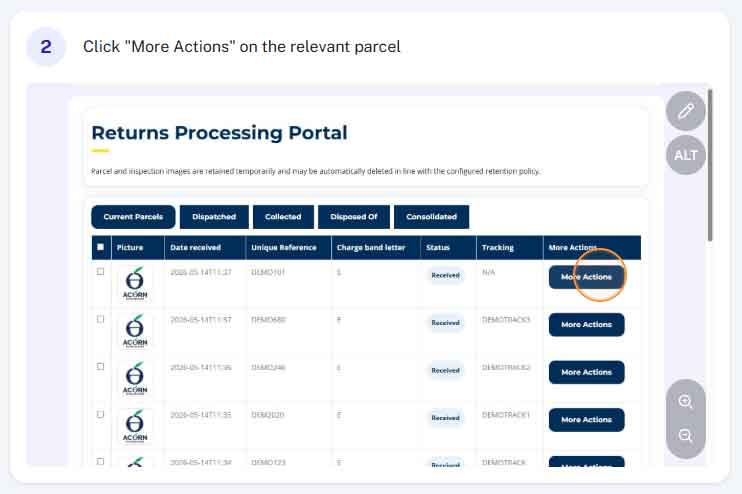
Step 2 - Click More Actions
Find the relevant parcel in your parcels list and click “More Actions”
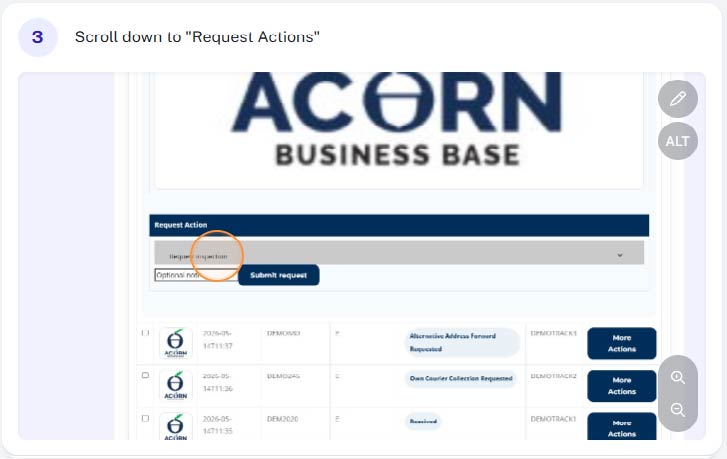
Step 3 - Scroll down to "Request Actions"
Scroll down to the “Request Actions” section towards the bottom of the parcel details.
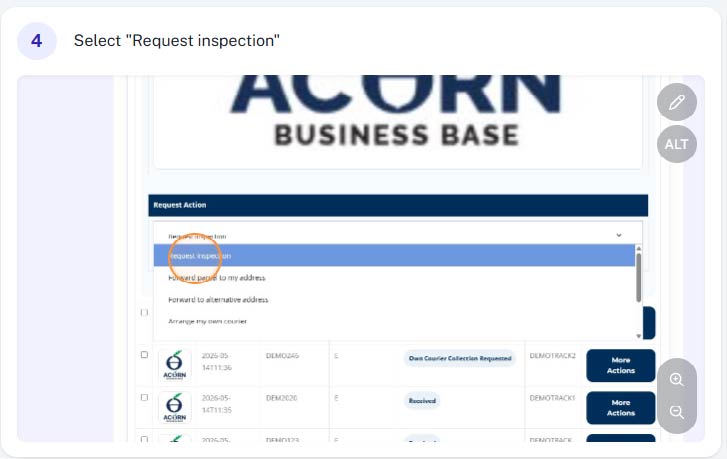
Step 4 - Select Request Inspection
Select “Request Inspection” from the drop down list.
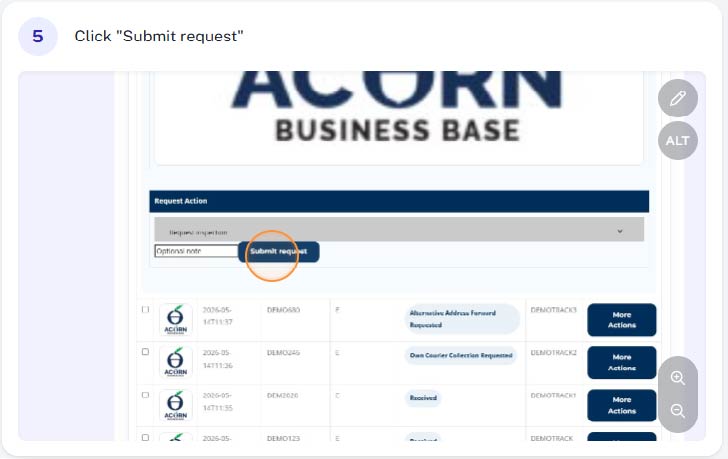
Step 5 - Click "Submit Request"
Click “Submit Request”
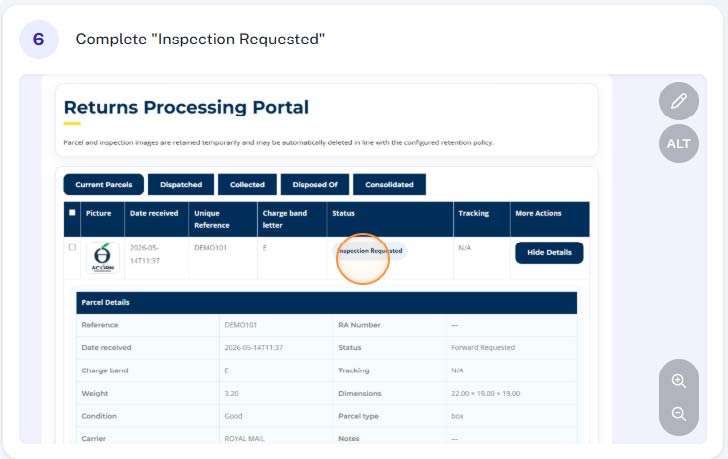
Step 6 - Complete
You have successfully request a parcel inspection (this will be confirmed on screen and the parcel status will be updated to “Inspection Requested” Depending on the time the request is submitted, we aim to get this complete same business day. If this is not possible it will be next business day.
Once complete additional information regarding the contents of your parcel including photos will be added to your Parcel Portal. You will be notified via email once complete.