How do I Top Up my Wallet?
Topping up your wallet is quick and easily. Simply follow these steps to top your wallet manually using a credit / debit card or PayPal. We also offer an automatic top up feature see here
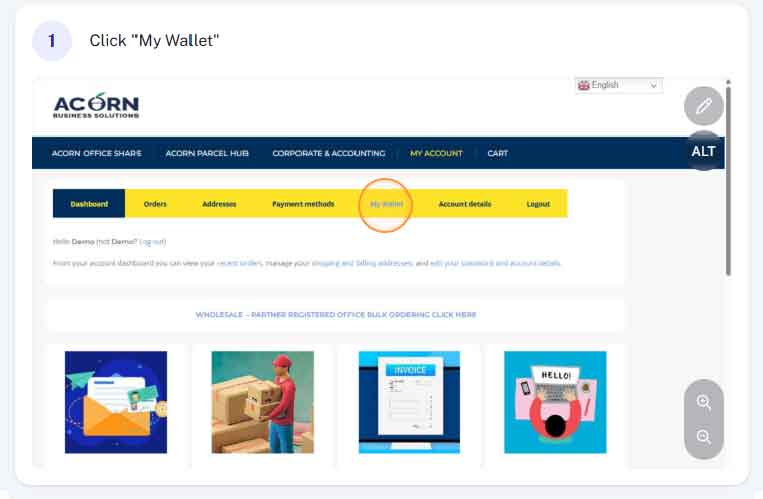
Step 1 - Access My Wallet
From within your account (acornbusinesssolutions.com/my-account) click on the “My Wallet” tab at the top of the page.
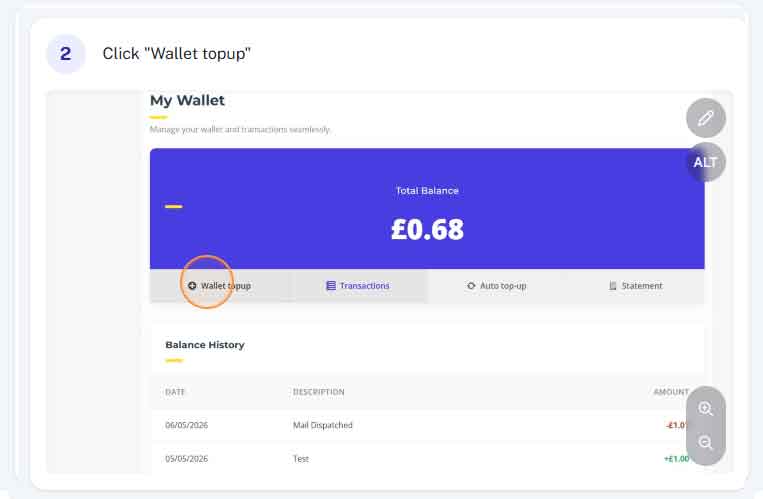
Step 2 - Click "Top Up"
Once you’ve accessed the “My Wallet” section you will be able to view details and your current balance. Simply click “Top up”
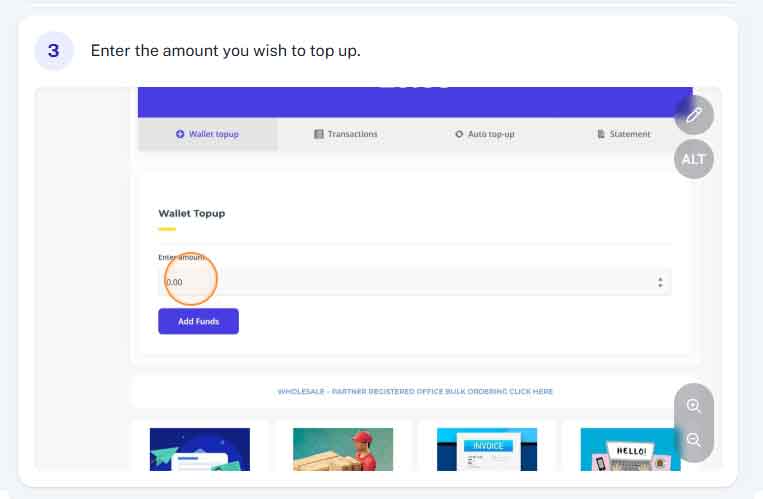
Step 3 - Enter top up amount
Enter the amount you wish to top up. The minimum top up is £10.00
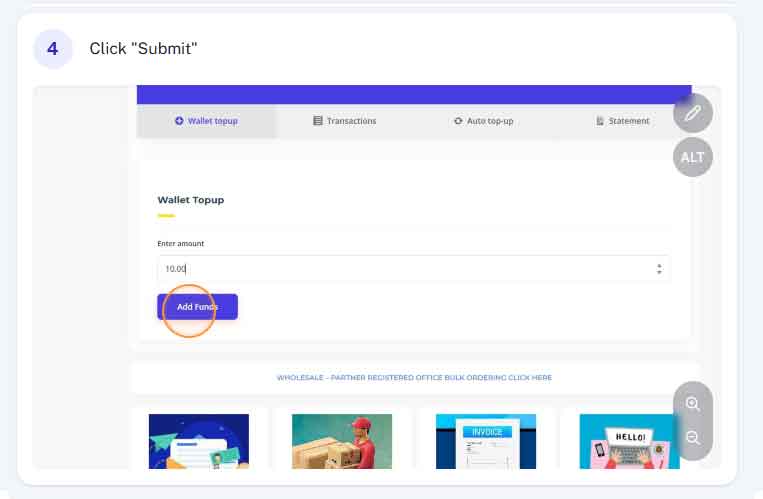
Step 4 - Click "Add Funds"
After entering the required top up amount, click the “add funds” button
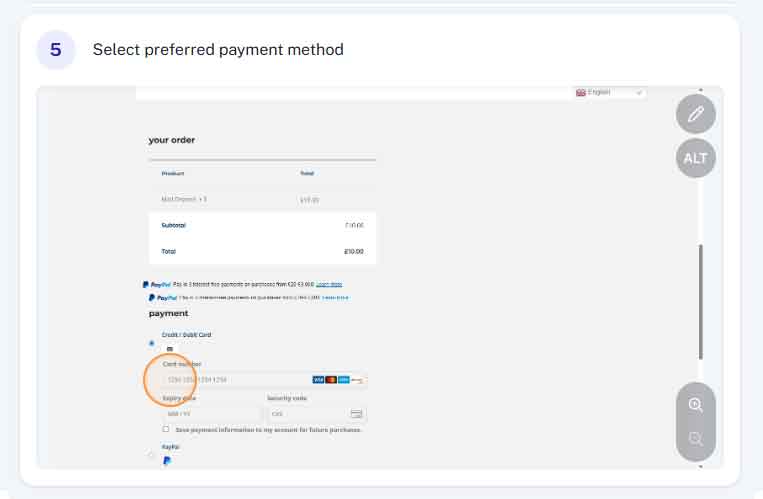
Step 5 - Select preferred payment method
At the bottom of the page, you will be able to select different payment methods, We currently accept credit/debit card or PayPal.
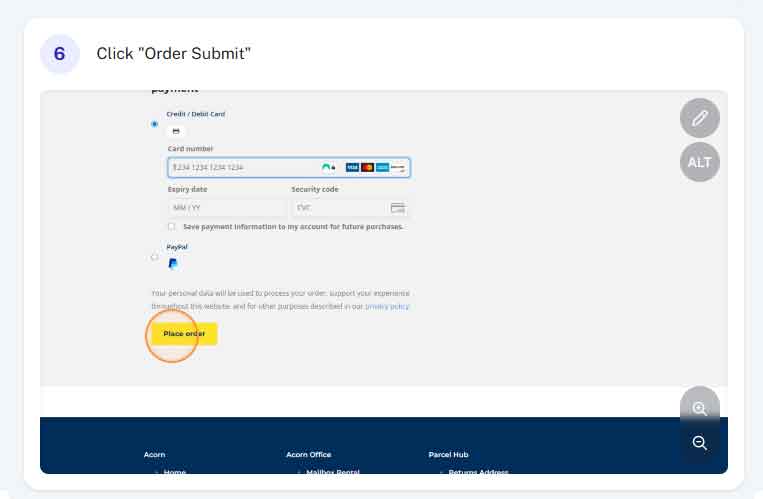
Step 6 - Click "Place Order"
Once you’ve selected your preferred payment method and entered the relevant information (example card number, expiry etc) you can click “Place Order” to complete.
Step 6 - Top up complete
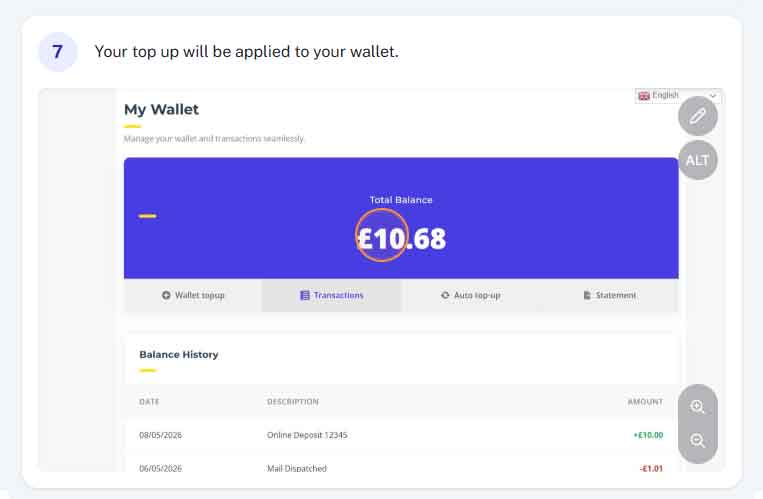
Your top up is now complete and the amount topped up will automatically be credited to your account.