How do I arrange for my own courier?
If you have your own account with a courier you can arrange for them to collect on your behalf. Before doing so however you must tell us they are coming.
To arrange for your own courier simply follow this easy guide. Remember if your account is not up to date or we’ve not been notified of a courier collection, we will now release the parcels to your courier.
There is a small fee of just £0.50 for this service.
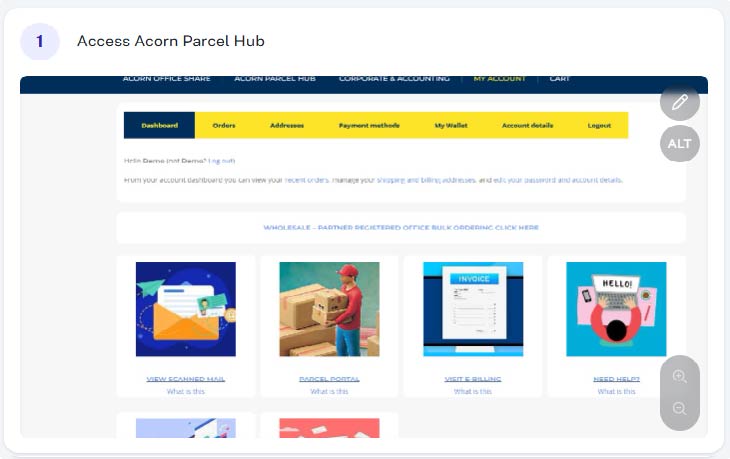
Step 1 - Access Acorns Parcel Hub
From within your account (acornbusinesssolutions.com/my-account) click on the “Parcel Hub” Image or text link.
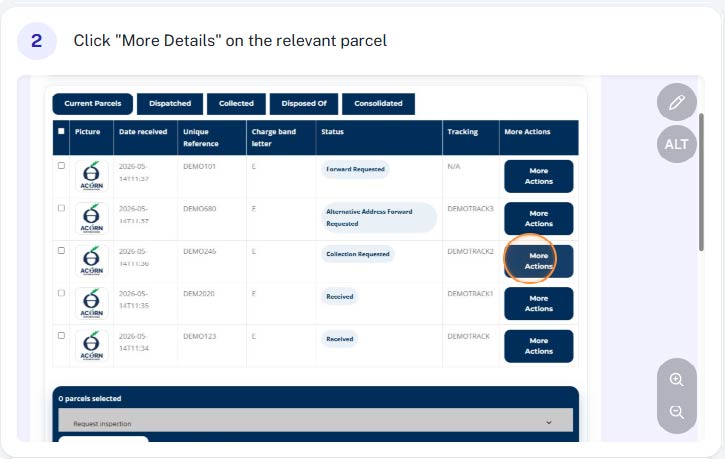
Step 2 - Click on "More Details"
Find the relevant parcel from your current parcels list and click “More Details”
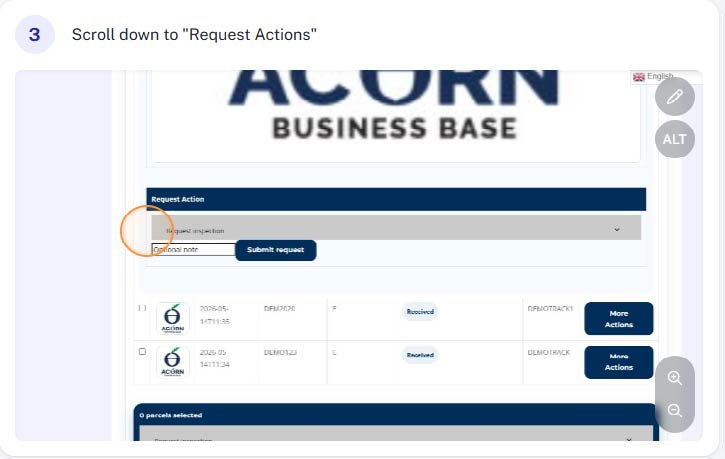
Step 3 - Scroll down to "Request Actions"
Scroll down to “Request Actions” towards the bottom of the parcel details.
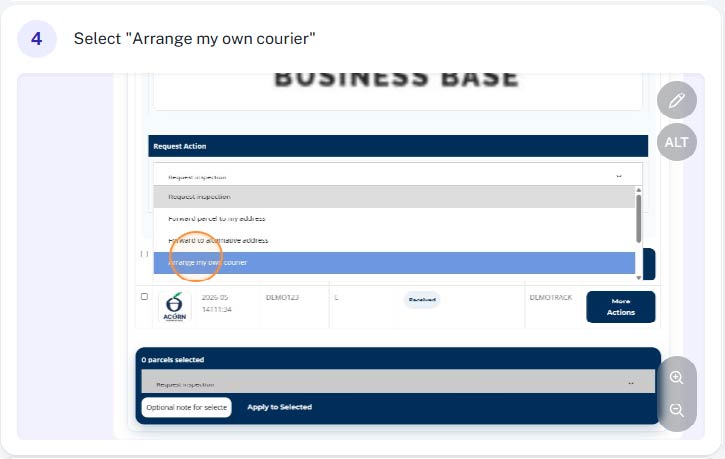
Step 4 - Select "Arrange my own courier"
Select “Arrange my own courier” from the drop down list.
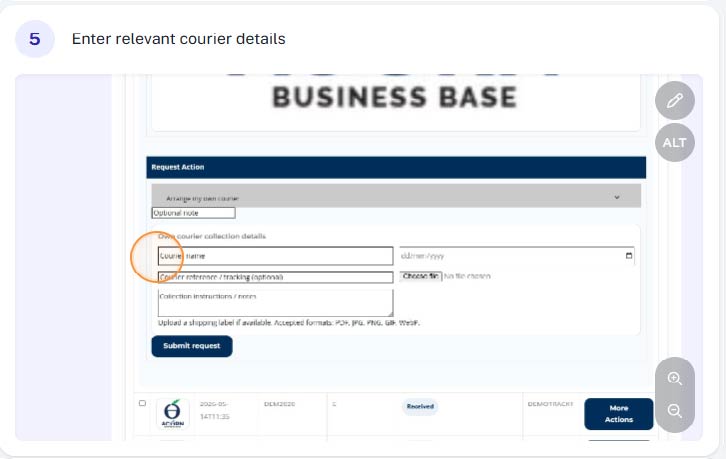
Step 6 - Enter relevant courier details
You will then need to provide some information regarding your courier, including the courier company name, any applicable notes and confirm the date the collection has been booked for.
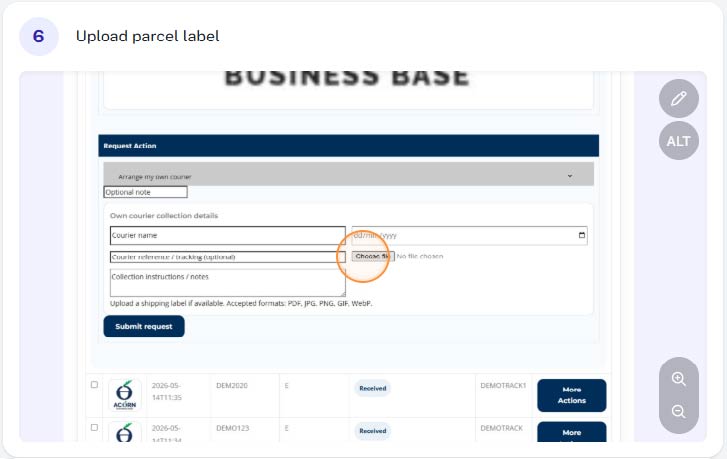
Step 6 - Add your own couriers shipping label / documents
If you have your own courier shipping label and/or customs documentation, you should upload them here.
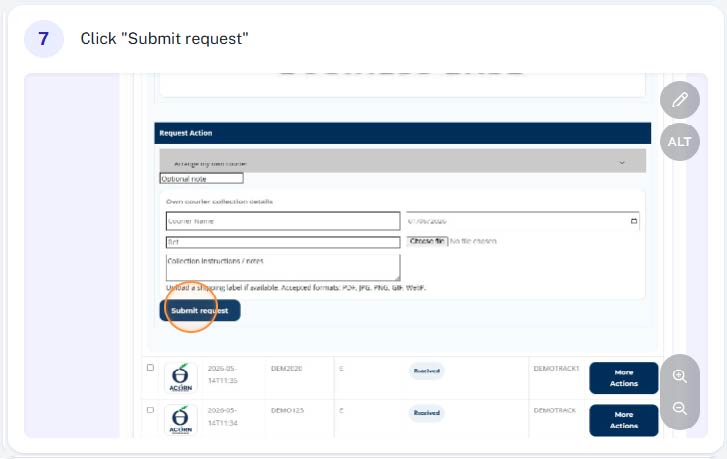
Step 7 - Click "Submit Request"
After double checking the courier details and shipping documents, click “Submit Request”
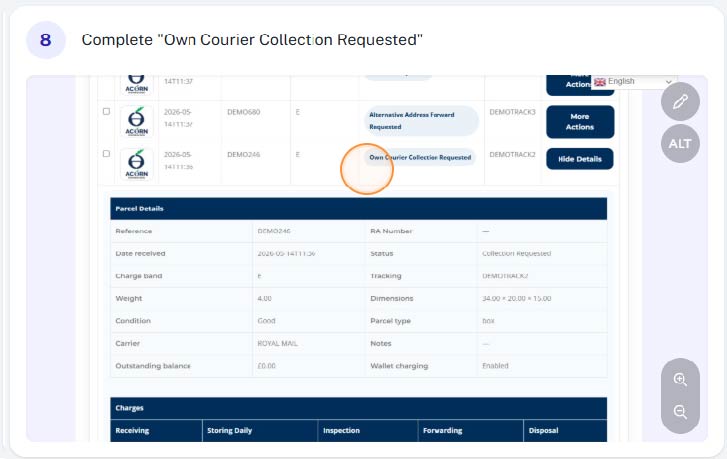
Step 8 - Complete
You have now completed your request. This will be confirmed on screen. Your parcel will be prepared with your supplied documents ready for collection by your courier on the specified date.