How Do I Request an Original by Mail?
After an item of mail has been uploaded to your online account we will store it for 28 days. During this time, you can easily request the original by mail. After 28 days, the original will be shredded and recycled, the status will update to “Expired” and the Request Original feature will no longer be available.
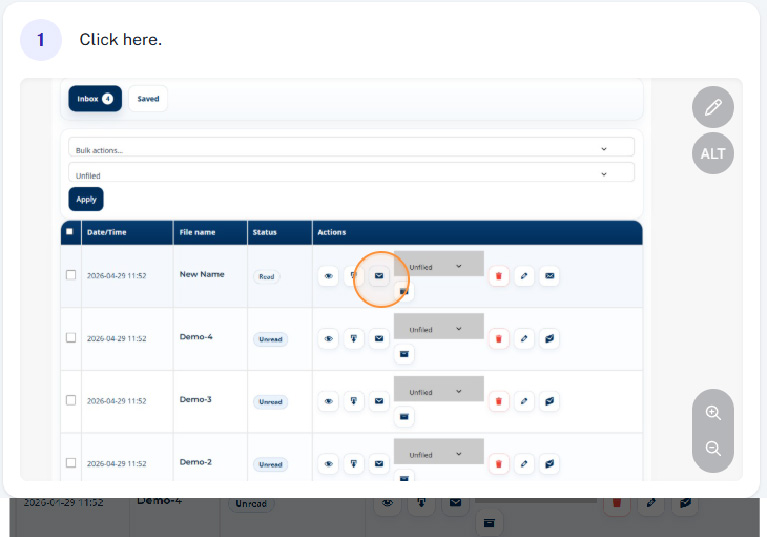
Step 1 - Click the request original icon
Select the request original next to the document you require sending out in the mail.
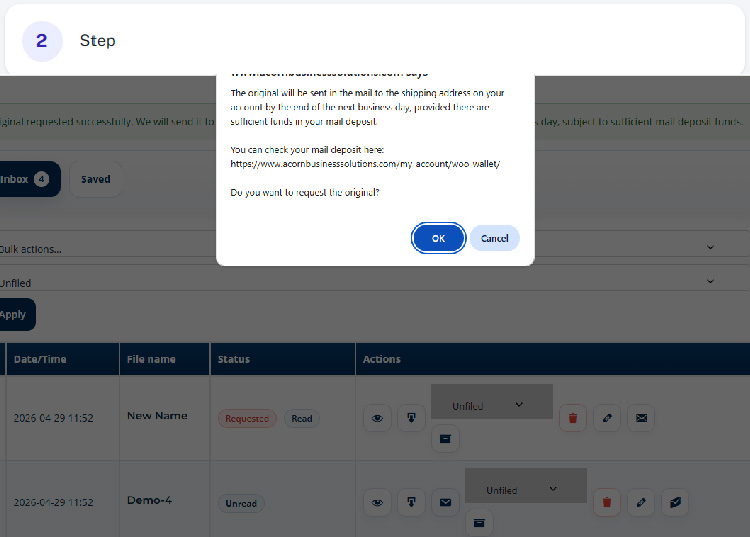
Step 2 - Confirm your request
Once you’ve selected “Request Original” a popup will appear telling you that the document will be mailed out to you, providing there is sufficient funds in your mail deposit. You will need to confirm the request by clicking “OK”
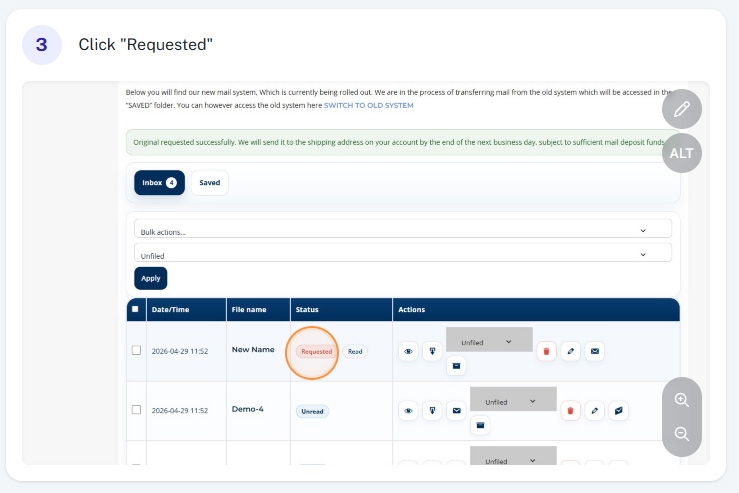
Step 3 - Confirmation
Once you’ve confirmed the request, it will be forwarded through to the mail room who will get the original sent out in the post by the end of the following day (subject to available funds) The status will change to “Requested”